Rizer can tilt your bicycle in order to simulate steep gradients, up to 20%.
This tilt might make you feel unstable and potentially be dangerous if you're not prepared.
Two safety mechanisms have been introduced to prevent any danger and/or discomfort:
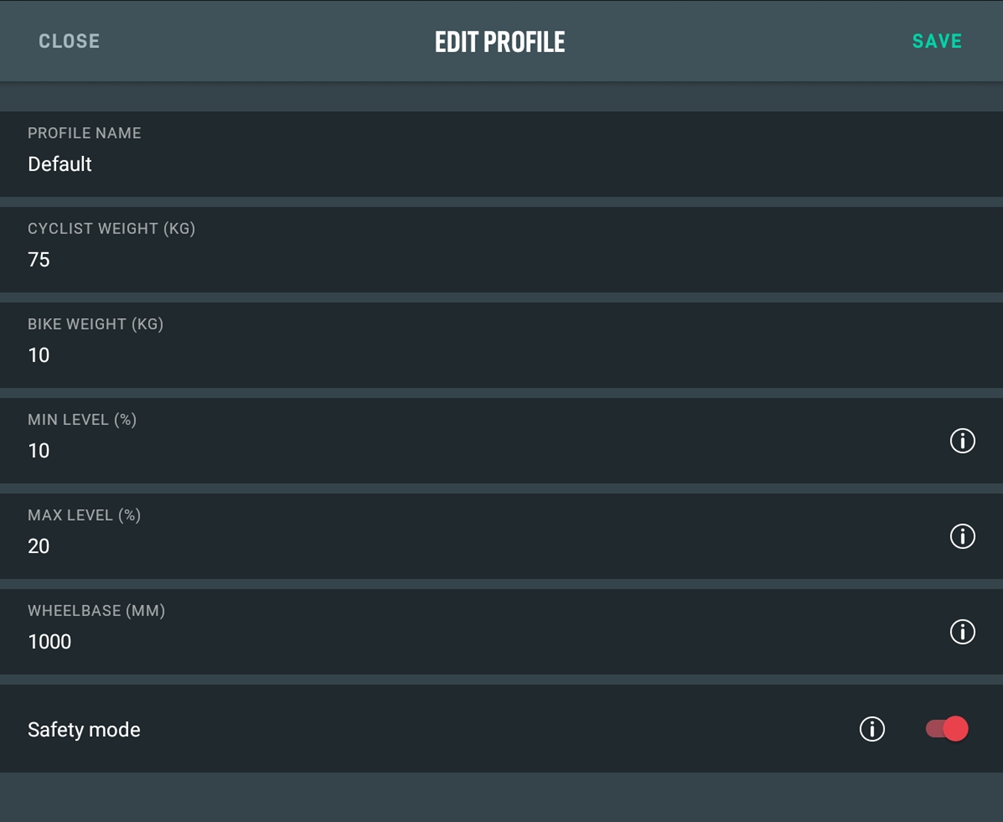
- On your profile in the Rizer command app you can set a max tilt level. To do so, select the "Max level" parameter on your profile and indicate a percentage value between 0% and 20%. The same goes for the "Minimum level", in those cases when the crank risks touching the ground.
- By default, a "SAFETY" function has been included, which will take the bicycle back to the starting tilt level when you stop pedalling and the speed reaches 0 for more than 5 seconds. We also suggest checking that said function is active by trying to set a gradient level and stop pedaling for a few seconds.
Warning!!!
Said function can always be removed from your profile by using the Rizer command app. By doing so the user accepts total responsibility for the decrease in safety.
To modify the safety mode of Rizer:
Run Rizer app
Do the pairing between the Rizer app and your Rizer
Once configured:
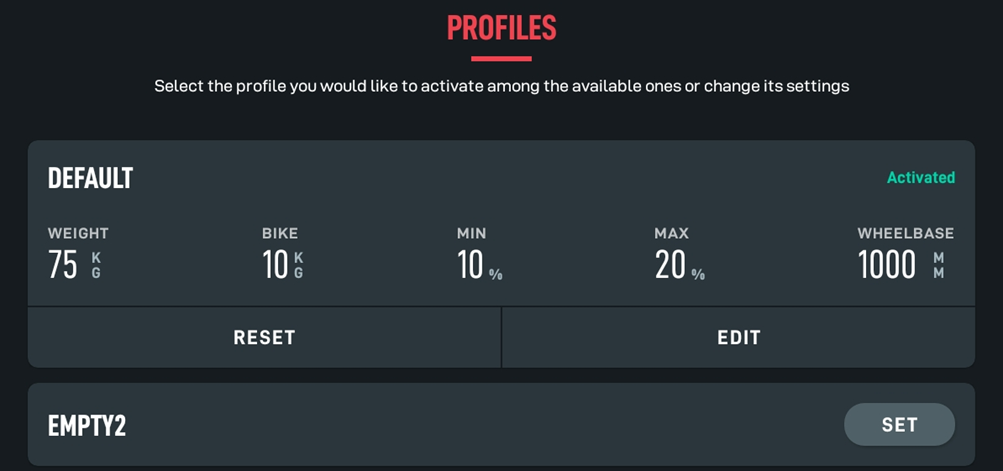
Select the PROFILES button at the end of the screen

Select the profile on which you want to change the safety mode settings (if you have more than one active profiles)
Select the EDIT button
In the next screen it is possible to modify the minimum and maximum slope and also to enable or disable the Safety Mode